
Car Real Simulator
Cerebellium AppsRacing
4.62.79K Reviews
- Version
- 2.1.30
- Installs
- 10.00M
- Age Rating
- Everyone
Screenshots
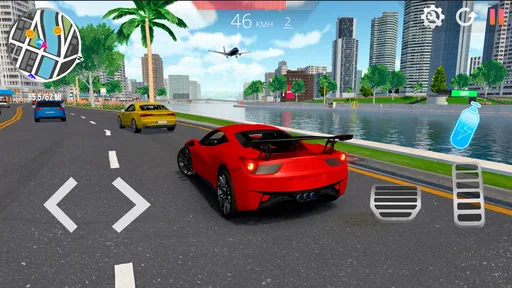
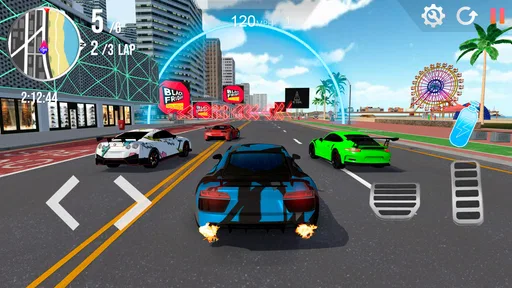
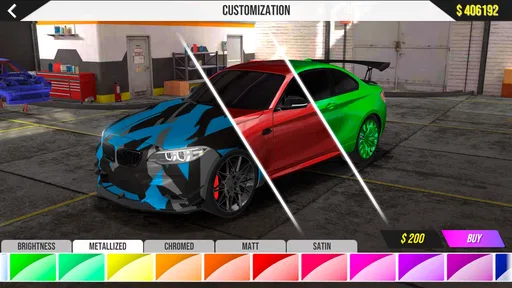
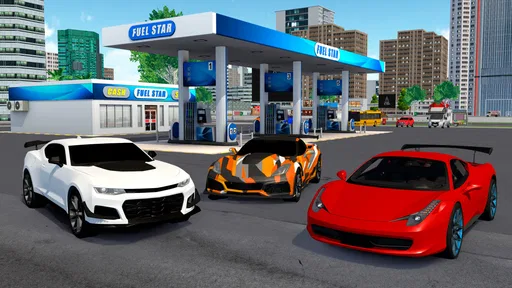
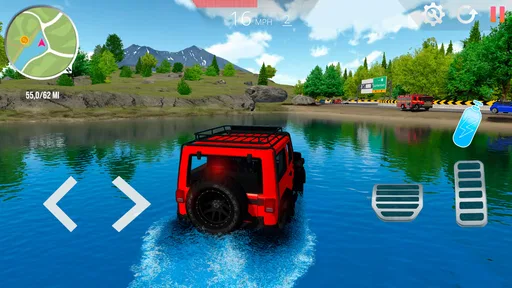
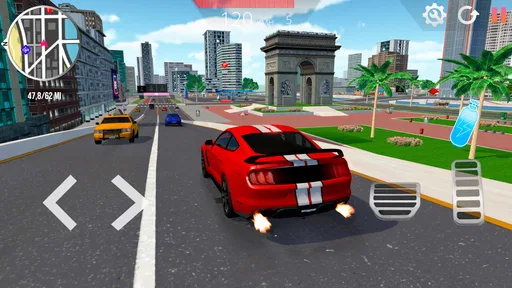
Our Review of Car Real Simulator
 Analysis by Appyee
Car Real Simulator is the kind of racing game I open when I want to drive for a few minutes without committing to a large, complicated racing package. It focuses on the feel of controlling a car in a three-dimensional driving environment, and that straightforward purpose is also its biggest appeal. I can get into a session quickly, concentrate on steering and speed, and decide for myself whether the driving model feels comfortable rather than spending a long time learning menus.
My experience is best described as accessible rather than deeply technical. This is a free racing game from Cerebellium Apps, aimed at an Everyone audience, with a realistic-driving theme that sits between an arcade racer and a more demanding simulator. It is available for Android devices running version 8.0 or later, and the current version is 2.1.30. That combination makes it approachable for a wide range of phones, although the actual experience still depends heavily on the device, available storage, and how well the game runs on it.
The game has built a sizeable audience, with an average rating of 4.6 from roughly 135 thousand ratings and more than 10 million installs. Those figures suggest that its simple driving concept works for many players, but they should not be treated as a guarantee that every phone or every control preference will suit it. I found that the first few minutes matter a lot: if the steering feels natural on your device, the game becomes an easy recommendation for short racing sessions. If it feels awkward, the realistic angle can make that frustration more noticeable.
Getting past the first points of friction
I find the first few drives most useful when I treat them as a quiet test rather than a race: make one small adjustment at a time, and notice whether it changes steering or simply your pace. That approach can help separate a control mismatch from ordinary inexperience without spending money to chase a fix. Once the basics feel predictable, the next question is whether this focused style of driving is worth keeping on your phone.
Why the opening session deserves patience
The most common difficulty with a driving game like this is not understanding the goal; it is getting the controls to respond in a way that matches your hands. A phone screen gives you limited space for steering and acceleration, so small movements can feel too sensitive at first. I recommend beginning with gentle inputs instead of immediately trying to drive quickly. A short practice run tells you whether the problem is your technique, the selected control method, or the way the game is behaving on your particular phone.
That distinction is important. When a car turns too sharply, many players assume the game is lagging or poorly calibrated. Sometimes the issue is simply that the thumb is covering too much of the steering area or that the phone is being held at an uncomfortable angle. I get more consistent results when I hold the device firmly with both hands and keep my steering movements small. This is especially useful during the first session, when trying to correct every mistake with a large swipe can create a second mistake.
Another point of friction is the expectation created by the word “simulator.” Car Real Simulator is more grounded than a purely casual tap-to-dodge racer, but it should not be approached like a full console simulation with a wheel, pedals, and extensive vehicle tuning. I enjoy it most when I treat it as a compact mobile driving experience. Players looking for detailed motorsport management or a long career structure may find the concept too focused on the act of driving itself.
Checks I make before blaming the game
Before judging performance, I check the basics. I close demanding apps running in the background, make sure the phone is not already hot, and confirm that the game has finished updating. I also restart the device if the game has been installed for a while but suddenly begins behaving differently. These are ordinary steps, but they matter more in a three-dimensional racing game than in a simple puzzle because rendering, touch input, and device temperature can all affect the feeling of control.
If the game opens but feels slow, I first test it after a fresh launch rather than repeatedly switching between it and other apps. If it closes during loading, I restart the phone and check that there is enough free storage for normal app operation. I do not immediately reinstall, because that can waste time and may remove local progress if the game does not restore it automatically. Reinstallation is better treated as a later recovery step, not the first response to every problem.
Players should also confirm that their Android device meets the minimum operating-system requirement of Android 8.0. Meeting that requirement does not mean every older phone will deliver equally smooth play, but using an older system can create compatibility trouble before the driving even begins. On iOS, the sensible equivalent is to keep the operating system and the game current, then test again after a full restart.
Making the first drive more useful
I use the opening drive as a calibration exercise rather than a race. I try a slow turn, a sharper turn, a stop, and a restart. This reveals whether the car responds predictably and whether my finger placement is the real source of difficulty. It also gives me a better basis for deciding whether to continue than a single failed attempt at speed.
A useful habit is to separate steering errors from timing errors. If the car consistently moves in the wrong direction, focus on the control input. If it follows the intended line but reaches a corner too quickly, the issue is pace and braking rather than sensitivity. That sounds obvious, yet mobile racing encourages players to make several changes at once. Changing how you steer, how fast you drive, and how you hold the phone together makes it difficult to learn what actually improved the result.
I also suggest playing the first session in a quiet setting with the screen clean and your hands dry. Touch controls are less forgiving when the display has fingerprints or when the player is trying to operate the game while walking. That is one reason I see this as a better fit for a short, stationary break than for distracted play during a commute.
Recovering when a session goes wrong
When a run becomes unresponsive, I leave the game normally if possible, wait briefly, and reopen it. If the problem continues, I restart the phone before trying more drastic measures. This simple sequence helps distinguish a temporary app hiccup from a repeatable device problem. I avoid tapping repeatedly during a loading pause because multiple inputs can make it harder to tell whether the game has frozen or is simply taking longer to respond.
If the game crashes repeatedly, I check for an available update and verify the operating-system requirement. I then try a clean launch with other apps closed. Clearing temporary app data can be useful on Android, but I would approach that option carefully and read the device warning first, because clearing storage rather than cache can affect local information. The same caution applies to uninstalling and reinstalling: it may solve damaged installation files, but it is not a risk-free troubleshooting shortcut.
For a stalled download or update, I check the internet connection, available storage, and the device’s system update process before assuming the game itself is broken. Switching between a weak mobile connection and a stable Wi-Fi connection can help identify whether the interruption is network-related. I would not repeatedly cancel and restart an update while the connection is unstable, since that adds more variables without solving the original problem.
When the phone, network, or expectations are responsible
Not every unpleasant session points to a defect in Car Real Simulator. Older hardware may struggle with a three-dimensional racing environment even when the operating system is supported. Heat can also change how a phone behaves after extended play, while a crowded storage drive can make updates and general app operation less reliable. If the game improves after the phone cools down or after background apps are closed, the device is part of the explanation.
Network conditions can matter during installation, updates, or any part of the experience that depends on a connection. A game that worked earlier may appear to fail when the connection has become unstable. I test another app that uses the same network before deciding that the racing game is at fault. This is a quick way to avoid deleting a perfectly good installation because of a temporary connection problem.
There is also a personal expectation issue. Someone coming from a dedicated racing simulator may want precise vehicle behavior, elaborate adjustments, and a broad competitive structure. Someone coming from a casual arcade game may find the driving less forgiving than expected. Neither reaction is necessarily wrong. The game’s strongest position is as a focused mobile racer with a realistic presentation, not as a substitute for every type of racing experience.
Free access and spending decisions
The game is free to download, which makes it easy to test without paying at the door. It includes in-app purchases ranging from $0.99 to $99.99 per item. I would make any purchase decision only after confirming what it changes in the actual play experience and whether it solves a genuine problem for me. A payment should not be used as a way to compensate for controls that feel uncomfortable or performance that is limited by the phone.
For a younger player, the Everyone content rating is reassuring from an age-classification perspective, but purchase controls still deserve attention on a shared device. I prefer to set up device-level purchase protection before handing a free game to a child. That is a practical safeguard, especially when optional items are presented inside an otherwise accessible racing experience.
The free entry point is most valuable for people who want to experiment. I can install it, test the driving feel, and decide whether the compact simulator approach is enjoyable before considering any optional spending. Players who dislike in-app purchases on principle may still prefer a paid racing game with a clearer one-time model, even if that alternative costs more at the beginning.
Who will get the most from it
I would recommend Car Real Simulator to someone who wants a driving game that can fill a short break without requiring a large time commitment. It suits players who enjoy practicing steering, controlling speed, and improving through repetition. It is also a reasonable choice for a person moving from very simple arcade racers toward something with a more grounded driving feel, provided they are comfortable learning touch control gradually.
A realistic everyday use case is a ten-minute break between tasks. I can sit down, run a few attempts, notice where my cornering goes wrong, and stop without needing to maintain a long session. That makes the game more practical than a racing title built around lengthy events. It also works for casual players who want to hand the phone to a family member and let them try a driving game without introducing complex management systems.
I would be more cautious about recommending it to competitive players who need deep online competition, detailed car setup, or a highly structured progression system. I would also suggest skipping it if you strongly prefer physical buttons or tilt controls and find touch steering uncomfortable. A premium racing game may be a better choice for someone who wants a single purchase, more extensive content, or a more specialized simulation experience.
How it compares with familiar racing alternatives
Compared with an arcade racer, this game asks me to pay more attention to how the car moves instead of relying only on quick reactions. That can make each corner feel more meaningful, but it also means a careless input is more likely to spoil a run. Compared with a full simulation, it is easier to approach and less demanding to learn, though it does not occupy the same niche for players who want a complete motorsport hobby on a phone.
Its main advantage over a large, content-heavy racing game is focus. I can concentrate on driving rather than sorting through a long list of systems. The trade-off is that players who enjoy collecting, customizing, competing across many modes, or following a lengthy progression may find a broader alternative more satisfying. In my view, choosing between them depends less on graphics and more on whether you want a quick driving session or a long-term racing project.
My practical verdict
After using it as a short-session racer, I see Car Real Simulator as a solid free option for players who want a direct driving experience and are willing to spend a little time getting comfortable with touch input. Its strong user response and broad install base are consistent with the fact that the basic idea is easy to understand. The game is at its best when I approach it patiently, keep expectations realistic, and judge the controls on my own phone rather than comparing it with console hardware.
The setup advice is simple but important: update the game and operating system, close background apps, keep the phone cool, test the controls slowly, and troubleshoot in stages instead of reinstalling immediately. Those steps will not turn an unsuitable device into a perfect racing machine, but they can prevent ordinary phone or connection problems from being mistaken for a fault in the game.
My recommendation is to try it if you want a free, approachable 3D driving game for short sessions. I would skip it in favor of a more specialized racing alternative if your priority is advanced simulation, extensive progression, or a purchase model without optional items. For everyone else, the low-risk entry point and focused driving make it worth testing, especially when you treat the first few runs as a chance to learn the controls rather than as an immediate test of speed.
Verdict
Strengths of Car Real Simulator
- Realistic driving physics make every turn and maneuver feel engaging.
- Large selection of cars offers variety for different driving styles.
- Open-world environments provide freedom to explore beyond set routes.
- Customizable controls suit both touchscreen and tilt-based play.
- Offline play lets you drive without a constant internet connection.
Limitations of Car Real Simulator
- Some vehicles and upgrades may require lengthy progression or purchases.
- Graphics can look dated on newer phones, especially at higher resolutions.
- Traffic behavior is occasionally predictable and reduces realism.
- Long sessions may drain the battery quickly on older devices.
- The game may include frequent ads between activities or driving sessions.
Similar Picks in This Category
View All
Hill Climb Racing
Fingersoft4.3

Dr. Driving
SUD Inc.4.2

Traffic Rider
skgames4.5

Asphalt 8 - Car Racing Game
Gameloft SE4.6

Race Master 3D: Car Racing
Beresnev Games4.6

Extreme Car Driving Simulator
AxesInMotion Racing4.3
Frequently Asked Questions
What is Car Real Simulator?
Car Real Simulator is a driving game focused on realistic vehicle handling, open-world exploration, and different driving challenges. After installing it, players can practice steering, braking, acceleration, and parking while exploring roads and completing activities. It is designed for users who enjoy car games with a more authentic driving feel rather than purely arcade-style racing.
Is Car Real Simulator free to download and play?
Car Real Simulator can generally be downloaded for free, although availability, advertising, and optional in-game purchases may depend on the version and platform. Some vehicles, upgrades, or features may require additional progress or payment. Before downloading, check the store listing carefully for the current pricing details, in-app purchase information, and any requirements connected with the specific Android or iOS release.
Does Car Real Simulator require an internet connection?
An internet connection may be needed for the initial download, advertisements, updates, cloud-related functions, or certain online features. However, basic driving and offline activities may be available after the game has been installed. The exact offline support can vary between versions, so players should not assume that every mode will work without internet access, especially after updates or when accessing online content.
What devices are compatible with Car Real Simulator?
Compatibility depends on the operating system, device model, and the version available through the official app store. Because the game includes detailed environments and vehicle physics, older phones or tablets may experience slower performance, longer loading times, or reduced visual quality. It is recommended to check the minimum Android or iOS requirements and keep sufficient free storage available before installing.
Is Car Real Simulator suitable for children and beginners?
Car Real Simulator is relatively easy to start because its main controls are based on familiar driving actions such as steering, accelerating, braking, and reversing. Beginners can learn through practice, although realistic handling may require some adjustment. Parents should also review advertisements, in-app purchases, and the game’s age rating, since store content and monetization options can vary by platform and region.
Play our best games!


